

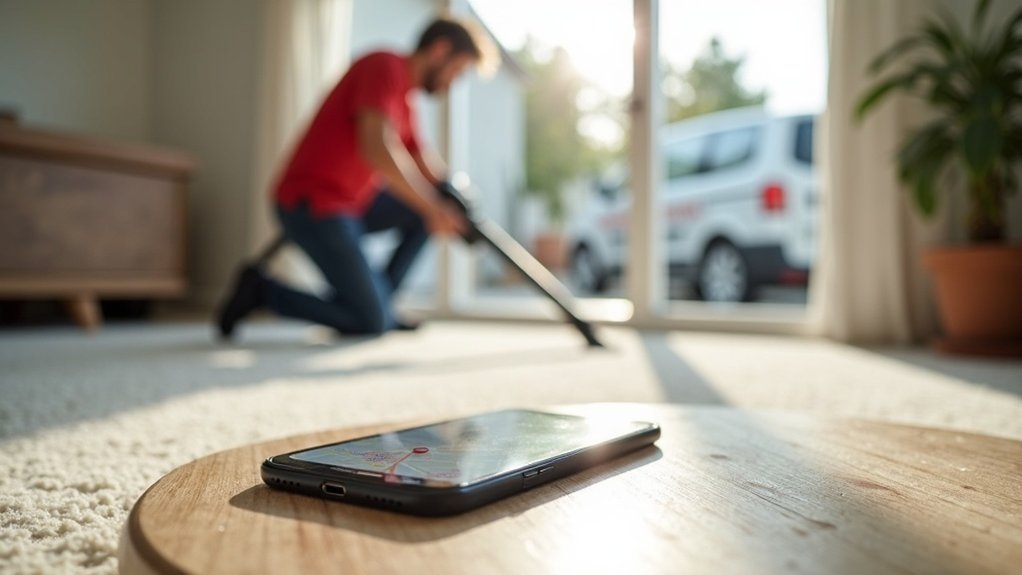
Why Carpet Cleaners Need Local SEO
When customers need a carpet cleaner, they grab their phone and search "carpet cleaner near me". If your business isn't at the top of those results, you're missing out on the most valuable leads in your industry.
Carpet Cleaners is one of the most searched-for local services. Every day, thousands of people search for carpet cleaners in their area. Local SEO puts your business in front of these customers at the exact moment they need you, generating a steady stream of quality leads.
Our SEO Services for Carpet Cleaners Include:

Local Searches
We target high-converting local keywords like "carpet cleaner near me" and related service terms that generate quality enquiries.

Google Maps Ranking
Most carpet cleaner searches show a map. We get you into the local 3-pack where customers click to call directly from search results.

Service-Specific SEO
We optimise for your core services and specialities that generate high-value carpet cleaner jobs.

Multi-Area Coverage
We create location pages for every area you serve, helping you rank for "carpet cleaner in [area]" across your entire service territory.
Keywords We Target for Carpet Cleaners
We research and target the keywords that generate actual carpet cleaner jobs:
- • Carpet cleaning near me
- • Professional carpet cleaning
- • Steam cleaning
- • Upholstery cleaning
- • Rug cleaning
- • Stain removal
- • Deep carpet clean
- • Commercial carpet cleaning
- • End of tenancy cleaning
- • Mattress cleaning
- • Sofa cleaning
- • Curtain cleaning
Frequently Asked Questions
Ready to Get More Carpet Cleaners Leads?
Get a free SEO audit and see how many local searches you're missing in your area.
Get Your Free Audit Call 020 3143 3667You’ll win local SEO as a carpet cleaner by tightening your Google Business Profile: verify it, choose “Carpet cleaning service,” add real service areas by city/ZIP, and keep hours and NAP exact. Match that same NAP in your footer, contact page, and top citations (Google, Yelp, Bing, Apple Maps, Facebook) while removing duplicates. Publish city-specific service pages with local landmarks, FAQs, and “from” pricing. Post fresh before/after photos monthly and ask for Google reviews right after each job. Next, you’ll see the step-by-step fixes that move you up in Maps.
Key insights
- Optimize your Google Business Profile: correct NAP, choose “Carpet cleaning service” category, add service areas, hours, photos, and appointment links.
- Create city and neighborhood service pages with unique content, landmarks, post codes, reviews, and before/after job photos for local intent.
- Fix and standardize citations across Google, Yelp, Bing, Apple Maps, Facebook, and aggregators; remove duplicates and audit quarterly.
- Earn more Google reviews by texting/emailing the direct review link after jobs; respond within 24 hours using service and neighborhood details.
- Improve on-page local signals: “Carpet Cleaning + City” titles, consistent footer NAP, clear service packages, FAQs, and schema matching GBP.
Local SEO for Carpet Cleaners: 10-Minute Quick Wins
If you’ve only got 10 minutes, you can still boost your local visibility fast by tightening the signals Google uses to rank carpet cleaners in your service area. Update your website footer with consistent NAP, add your city and primary neighborhoods, and link to a service-area page for each town you target. Refresh your homepage title tag with “Carpet Cleaning + City” and your top suburb. Add a short FAQ that mentions local landmarks and post codes.
Next, strengthen off-site signals fast: ask two recent customers for a Google review via text, and reply to your latest review with the city name. Run Neighborhood outreach by posting a Nextdoor tip and offering a small seasonal deal. Build local partnerships by swapping a link with a nearby realtor or property manager.
Set Up Your Google Business Profile (GBP) Correctly
First, verify and secure your Google Business Profile so you control what shows up when locals search “carpet cleaner near me” in your service area. Next, optimize your business info—NAP, hours, service areas, and categories—so Google matches you to the right neighborhoods and queries. Then add sharp job photos and list your core services (like steam cleaning, stain removal, and pet odor treatment) to boost clicks and calls from nearby customers.
Verify And Secure Listing
Before you chase more reviews or build local citations, lock down your Google Business Profile (GBP) so Google knows exactly who you are and where you serve. Start listing verification right away: request the postcard, phone, or email method and complete it as soon as it arrives. If you operate across multiple neighborhoods, verify each eligible location you manage, not “virtual” addresses that can get you suspended.
Next, tighten profile security. Use a dedicated business Google account, enable 2-step verification, and keep owner access limited to you and one trusted backup. Add staff as managers, not owners, and remove ex-employees immediately. Turn on email alerts so you catch edits fast. If you work with agencies, grant time-bound access and document who changed what, plus when.
Optimize Business Information
Where do carpet-cleaning leads actually come from on Google—your service area, categories, and contact details. In your Google Business Profile, set your primary category to “Carpet cleaning service,” then add closely related secondary categories only if you truly offer them. Define your service area by cities/ZIPs you can reach fast, and keep it consistent with your website and citations. Use Keyword research to align your business description and services with local intent (e.g., “pet odor removal in Mesa” or “move-out carpet cleaning in Tempe”). Lock your NAP: exact business name, local phone, and a real street address or service-area setting. Add business hours, holiday hours, and appointment links. Encourage Customer testimonials that mention neighborhoods and job types, and reply with city-specific details.
Add Photos And Services
Even if your categories and NAP are perfect, weak photos and vague services can still cost you local carpet-cleaning calls. Upload sharp, recent images that prove results in your service area: before/after stains, truck-mounted gear, technicians in uniform, and exterior shots that match your neighborhood. Do Photos enhancement first—crop, brighten, and keep a consistent style—then add 3–5 new photos monthly to stay active.
Next, list services like a menu, not a paragraph. Use service packaging: “Move-Out Carpet Cleaning,” “Pet Odor + Enzyme Treatment,” “Area Rug Pickup/Delivery,” and “Stair + Hall Bundle.” Add clear price ranges or “from” pricing where allowed, plus the specific cities and post codes you cover. Tie each service to a local intent: homes, apartments, offices, and property managers nearby.
Pick the Best GBP Categories and Services
Since Google Business Profile categories shape when you show up in local searches, you need to choose the most specific primary category for your carpet cleaning business and then add only the secondary categories and service items that match what you actually offer in each city or service area. Pick “Carpet cleaning service” as primary, then add focused secondary options like “Upholstery cleaning service” only if you do it on-site. Align Services with real jobs: Carpet maintenance, stain removal, odor treatment, pet spot cleanup, and rug cleaning. For each city you target, tailor service descriptions with local intent: “stain removal in Tempe” or “carpet maintenance in Mesa.” Don’t stuff categories; mismatches dilute relevance. Review competitor GBPs in your post codes, then mirror only what fits. Update quarterly as you add or drop services.
Fix NAP Consistency Across the Web
How often do your name, address, and phone number show up differently across Google, Yelp, and local directories in your service area? Those tiny mismatches can confuse search engines and customers, costing you map rankings and calls. Lock in one official format for your business name, suite number, and local phone, then use it everywhere to protect NAP consistency.
Next, audit your top citations in the cities you serve: Google Business Profile, Yelp, Bing Places, Apple Maps, Facebook, Nextdoor, and major data aggregators. Correct misspellings, old tracking numbers, and outdated addresses, and remove duplicates. If you’re a service-area business, keep your address handling consistent across listings. Finally, document logins, update hours and website URLs, and recheck quarterly to maintain citation accuracy.
Add Before/After Photos That Win Clicks
Before you spend another dollar on ads, add sharp before/after photos to your Google Business Profile and local directory listings to earn more clicks from homeowners in your service area. Use real jobs from nearby neighborhoods so searchers recognize local homes, rugs, and stains they deal with.
Shoot before photos in bright, even light, from chest height, same angle each time. Then capture after photos with identical framing so the improvement pops. Rename files with city + service (e.g., “Austin-carpet-cleaning-pet-stain-before.jpg”). Add short captions that include the suburb, room, and problem: “Gilbert living room: wine spill removed.” Post weekly, prioritize high-intent jobs (pet urine, traffic lanes, sofa stains). Consistency signals freshness and drives calls.
Get More Google Reviews (Without Policy Risk)
Ask for a Google review right after you finish the job and the customer’s still impressed—ideally before you leave the home in your service area. Send your review link through compliant channels like your receipt email, follow-up SMS, or a QR card, and keep the message simple and consistent. Don’t offer discounts, gifts, or entries to get reviews; you’ll protect your profile while building trust in your local market.
Ask With Perfect Timing
Once your carpet cleaning job wraps up and the customer’s happy with the results, that’s your best window to request a Google review—right on-site, in your service area, while the “wow” moment’s still fresh. Do a quick walkthrough, point out before-and-after wins, then ask: “Would you share that experience on Google?” If they mention a specific stain or odor you removed, mirror their words so your customer testimonials sound local and detailed. Time follow-ups around real-life triggers: after move-outs, pre-listing cleanings, or post-holiday traffic in your city. Pair your ask with seasonal promotions only after the review request, so it doesn’t feel like a trade. Keep it friendly, brief, and confident.
Use Compliant Request Channels
While you’re still in the customer’s driveway in your service area, use channels Google considers legitimate and traceable: send a direct Google review link by SMS or email from your business system, or hand them a QR code that opens your Google Business Profile review form. Keep the request local and specific: “If we cleaned your carpets in Dallas today, would you share how it went?” Use your CRM to log who received the link and when, so follow-ups stay compliant and consistent across neighborhoods you serve. Add the review link to your invoice, service completion email, and post-job thank-you text to standardize Customer engagement. Don’t route people through third-party gating pages; send them straight to Google to protect your brand reputation. Ensure links match your exact GBP listing.
Prevent Incentive Policy Issues
How do you get more Google reviews in your service area without triggering removals or penalties? You don’t “buy” feedback—you earn it. Google’s Incentive policies flag discounts, giveaways, or “review us for £10 off” offers, and those shortcuts can spark compliance issues that wipe out hard-won trust in your city.
- Train techs to ask every satisfied homeowner right after the job, while you’re still on-site.
- Use one neutral request script across all neighborhoods (no “5-star” prompts, no gating).
- Document your process so you can prove consistency if reviews get questioned.
If you run seasonal promos, separate them from review asks: “Here’s your coupon” and “Here’s our review link” must never appear together. Keep it clean, local, and repeatable.
Reply to Reviews to Boost Trust and Rankings
Because shoppers compare carpet cleaners by what locals say, you need to reply to every Google review—especially the newest ones—to build trust and send fresh engagement signals that can support your local rankings. Make Review responses a daily habit: set alerts, respond within 24 hours, and mention the neighborhood or city you served (without overdoing it). Thank happy customers, echo the service (“pet odor removal,” “steam cleaning”), and invite them back for rugs or upholstery. For negative reviews, stay calm, apologize for the experience, and offer a clear next step: “Call our office so we can re-clean and make it right.” Don’t argue or reveal private details. Consistent, local-minded replies strengthen Trust signals and help prospects choose you fast.
Build Service-Area Pages That Rank in Maps
Set clear service-area boundaries by listing the exact cities, post codes, and neighborhoods you serve, then build one focused page per area. Optimize each page with local intent signals—unique copy, service + city headings, address-free service-area language, and proof like reviews and project photos from that location. Link every service-area page to your Google Business Profile with consistent categories, services, and UTM-tagged links so Google connects the page to your map listing.
Define Service Area Boundaries
If you want your carpet cleaning business to show up in map results where you actually work, you need clear service-area boundaries that match real neighborhoods and drive times. Start with boundary mapping: plot your last 60–90 days of jobs, note where crews can arrive within your promised window, and draw a realistic radius or polygon. Tight service boundaries beat “we serve everywhere” because they align with how customers search by city, suburb, and ZIP.
- List the exact cities, neighborhoods, and post codes you’ll actively accept this month
- Set hard cutoffs based on peak-hour drive time, not miles
- Create separate zones for “core,” “extended,” and “rare” areas to avoid overreach
Review quarterly, especially after staffing or route changes, so your pages target where you can win.
Optimize Area Page Signals
A strong service-area page signals to Google exactly where you work and gives searchers instant proof you’re local. Build one page per city or neighborhood you serve, and match the page title, H1, and intro to that location plus “carpet cleaning.” Add a short service list, common local stains, and the exact post codes you cover. Embed a simple map image, add driving-time notes, and include recognizable landmarks, schools, and subdivisions to reinforce relevance. Use consistent NAP, opening hours, and a local phone number. Add unique reviews that mention the area, plus before/after photos labeled with the neighborhood. Highlight neighborhood outreach and local sponsorships with named events to earn trust and location signals. Keep each page unique and scannable.
Link Pages To GBP
Once your city pages send clear location signals, tie each one directly to your Google Business Profile (GBP) so Google connects the page to your Maps listing. Add each service-area URL as a GBP landing page (or use UTM-tagged links) and keep the same NAP everywhere for Citation consistency. Then, internally link from your homepage and service pages into each city page with geo anchors (e.g., “Carpet Cleaning in Mesa”). Finally, support those pages with local Link building so they earn authority in the same post codes you target.
- Add a “Service Areas” section in GBP posts linking to the matching city page
- Mirror GBP categories/services on the city page and include driving-area landmarks
- Track calls and form leads per city page to refine your map-grid coverage fast
Map “Carpet Cleaning Near Me” Keywords to Pages
Before you chase more “carpet cleaning near me” traffic, map each keyword variation to a specific, location-targeted page so Google knows exactly where you serve and what you clean. Start with a list: “carpet cleaning + city,” “steam cleaning + neighborhood,” “pet stain removal + suburb,” and “same-day carpet cleaning + ZIP.” Assign one primary term set per page, then group close variants under that page to avoid overlap. Build pages by service area tiers: city hub pages, then neighborhood/ZIP pages where demand exists. Use call logs, form submissions, and chat transcripts to spot Customer Engagement language people actually use. Check Market Trends (seasonal moves, renter-heavy areas, new developments) to prioritize which locations get pages first and which terms you expand later.
On-Page SEO for Carpet Cleaning Pages
Because Google reads your carpet cleaning pages one section at a time, you need on-page SEO that ties the service, the location, and the intent together without sounding forced. Start with Keyword research so each page targets one core service plus one city or neighborhood. Then do Content optimization: put the primary phrase in the title tag, H1, first 100 words, and one subheading, and keep it natural.
- Add a tight service-area intro: “Carpet cleaning in Midtown Phoenix” plus a clear CTA and phone number
- Write a pricing or process section that matches local expectations (apartments, pet stains, move-outs)
- Build internal links to nearby area pages and related services like upholstery or tile cleaning
Use unique photos, fast load times, and scannable FAQs for each location page.
Add LocalBusiness Schema for Carpet Cleaners
Add LocalBusiness schema to your carpet cleaning site so Google ties your services to the exact cities and neighborhoods you serve. Choose the right schema type, then lock in your NAP, business hours, and service details so your listings stay consistent across search. Add service area and geo data (city, ZIPs, coordinates) to reinforce local relevance and boost map visibility.
Choosing Correct Schema Types
While your service pages tell Google what you do, the right schema types confirm it in a format search engines trust. For carpet cleaning, lead with LocalBusiness and then choose add-ons that match how you operate in your city and surrounding service area. Your markup strategies should mirror real-world offerings, so Google can connect your brand to local intent searches like “carpet cleaner near me” and neighborhood modifiers.
- Use `CarpetCleaning` (or `CleaningService`) as the most specific type, nested under `LocalBusiness`
- Add `Service` entries for water extraction, pet stain removal, or upholstery cleaning you promote locally
- Include `AreaServed` with your target suburbs, ZIPs, or nearby towns to reinforce geo relevance
Validate JSON-LD and keep schema consistent across key pages.
Essential NAP And Hours
Even if your service area spans multiple suburbs, you still need one rock-solid NAP (name, address, phone) and accurate hours in your LocalBusiness schema so Google can confidently match your carpet cleaning company to “near me” searches in your city. Use the exact business name you show on your storefront, website header, and Google Business Profile. Add a street address (no PO boxes), a local phone number, and a clickable tel: link. Set nap hours with OpeningHoursSpecification, including weekday/weekend differences, holidays, and seasonal changes. Don’t guess—sync your schema with your GBP and contact page, then update immediately when hours change. Think of it like a sleep schedule: consistent inputs reduce confusion, improve trust, and help your listing rank and convert locally.
Service Area And Geo Data
Because Google needs a clear map of where you actually work, you should define your service area and geo signals directly in your LocalBusiness schema. Add `areaServed` with specific cities, ZIPs, and nearby neighborhoods you target, then reinforce it with `geo` (latitude/longitude) for your base location. If you’re mobile, pair `hasMap` and a service-area page URL so Google connects coverage to real addresses and routes. Keep everything consistent with your GBP and citations to avoid mismatched coverage.
- Use `areaServed` as a list (City, PostalCode, Neighborhood).
- Add `geo` coordinates and a `hasMap` link to Google Maps.
- Include `serviceType` like “carpet cleaning” plus key suburbs you serve.
This tight Service area + Geo data setup boosts relevance in “near me” searches.
Earn Local Backlinks From Partners and Suppliers
If you want stronger local rankings fast, start with the relationships you already have. List every supplier, property manager, realtor, flooring store, and restoration company you serve in your city. Then use Partnership strategies: co-branded “Preferred Carpet Cleaner” pages, joint promos, and case studies that mention the neighborhood and service area.
Ask for one dofollow link from their website’s partners page, vendor directory, or blog, pointing to your location or service-area page. Prioritize backlink quality over quantity: locally relevant sites, real business addresses, and contextual mentions beat random listings. Offer reciprocity with a short testimonial, before/after photos, or a quote they can publish. Track links, anchor text, and the landing page so each link supports your target city and services.
Top Citation Sites for Carpet Cleaners (Priority List)
- Yelp + Nextdoor for neighborhood discovery
- Angi + Thumbtack for service-category authority
- Chamber of Commerce + city business directory for local trust
Track Calls & Maps Rankings (Tools + KPIs)
Once your listings and citations are live, you need proof they’re driving real local jobs—not just impressions. Set up call tracking with a local number per channel (GBP, website, LSAs) so you can see which source books cleanings. Record calls to verify lead quality, and tag outcomes: booked, quote, no-show, spam. In Google Business Profile, watch Calls, Direction Requests, and Website clicks by city or ZIP focus. For map rankings, use a geo-grid rank tracker (Local Falcon, BrightLocal, Whitespark) to measure visibility from neighborhoods you actually serve. Track KPIs weekly: top-3 grid coverage, average position, call volume, booked-call rate, cost per booked job, and service-area gaps. Export trends monthly and adjust pages, photos, and posts.
Local SEO Mistakes That Block Carpet Cleaners in Maps
Even when you do everything “right,” a few common Local SEO mistakes can quietly suppress your carpet cleaning business in the Map Pack across the neighborhoods you serve. Fix them fast so you show up for “carpet cleaner near me” searches in your city and nearby post codes.
- You mismatch NAP (name, address, phone) across your website, GBP, and citations, confusing Google’s local trust signals.
- You pick the wrong primary category or stuff services, which dilutes relevance for specific areas you target.
- You ignore reviews and Q&A, stalling Customer engagement and reducing conversion signals.
Also, don’t hide Pricing strategies behind vague quotes—add clear service ranges and city/area pages. Keep your service area accurate, remove duplicate listings, and post weekly updates tied to local landmarks and neighborhoods.
Frequently Asked Questions
How Long Does It Take for Local SEO Results to Show Up?
You’ll usually see local SEO results in 4–12 weeks, but competitive areas can take 3–6 months. Your SEO timeline depends on ranking factors like your Google Business Profile completeness, review velocity, NAP consistency, local citations, on-page location signals, and proximity. You’ll speed progress if you fix listings, earn a few new reviews weekly, publish geo-targeted pages, and build local links. Track map pack impressions and calls weekly.
Do I Need a Physical Storefront to Rank Locally as a Carpet Cleaner?
No, you don’t need a physical storefront to rank locally. You can use a service-area business listing, hide your address, and target the neighborhoods you serve. If you do have a location, boost trust with clear signage visibility and add virtual tours to your profile. Build consistent citations, earn nearby reviews, and publish city/ZIP service pages. Keep your service radius tight, and track calls and directions requests weekly.
Should I Run Google Ads Alongside Local SEO for Faster Leads?
Yes—you should run Paid ads alongside Local SEO if you want faster leads. You’ll capture high-intent searches today while Organic growth builds rankings over weeks. Set ads to your service radius, add location assets, and bid on “near me” and urgent terms. Send clicks to a city-specific landing page, track calls, and pause weak keywords. Keep optimizing your Google Business Profile so you don’t rely on ads long-term.
Can Social Media Activity Improve My Local Rankings for Carpet Cleaning?
Yes—your social media activity can support local rankings, but it works indirectly through engagement and Online reputation signals. Want Google to trust you more in your service area? Post before/after jobs, tag your city and neighborhoods, and link to your GBP and site. Drive reviews by sharing a review link, respond fast to comments, and keep branding consistent. Local shares and check-ins can also boost visibility.
What Should I Do if a Competitor Uses My Business Name in Their Listing?
If a competitor uses your business name, document it, then file business name infringement and listing disputes immediately. Screenshot the listing, note the URL, and gather proof (trademark, DBA, signage, invoices). Report it in Google Business Profile via “Suggest an edit” and “Redressal” form, and contact support for escalation. Ask them to remove the name in your service area. Also monitor Maps and directories weekly for repeats.
Summary
Lock these local SEO quick wins in and you’ll feel like you’ve turned on a “booked-solid” switch for your carpet cleaning business. Dial in your Google Business Profile, choose razor-sharp categories, and clean up your NAP everywhere—no exceptions. Post jaw-dropping before/after photos, grab local backlinks from suppliers, and hit the top citation sites fast. Track calls and Maps rankings weekly. Skip these steps, and you’re basically hiding from ready-to-hire neighbors in your city.
Need More Carpet Cleaners Leads?
Get in touch for a free consultation and discover how we can keep your phone ringing with quality carpet cleaner jobs.
Get Free Audit