

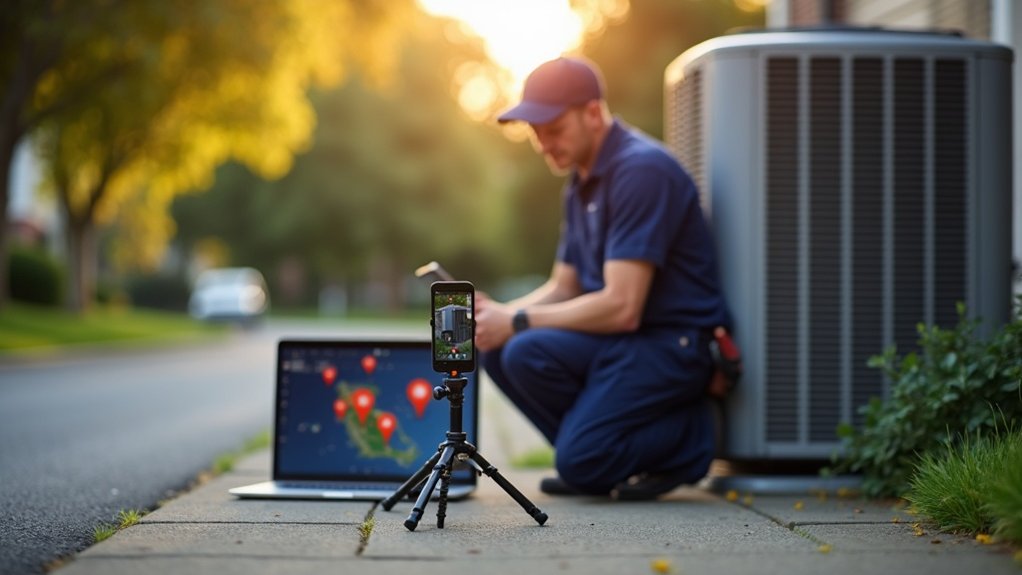
Why HVAC Companies Need Local SEO
When customers need a HVAC company, they grab their phone and search "HVAC company near me". If your business isn't at the top of those results, you're missing out on the most valuable leads in your industry.
HVAC Companies is one of the most searched-for local services. Every day, thousands of people search for HVAC companys in their area. Local SEO puts your business in front of these customers at the exact moment they need you, generating a steady stream of quality leads.
Our SEO Services for HVAC Companies Include:

Local Searches
We target high-converting local keywords like "HVAC company near me" and related service terms that generate quality enquiries.

Google Maps Ranking
Most HVAC company searches show a map. We get you into the local 3-pack where customers click to call directly from search results.

Service-Specific SEO
We optimise for your core services and specialities that generate high-value HVAC company jobs.

Multi-Area Coverage
We create location pages for every area you serve, helping you rank for "HVAC company in [area]" across your entire service territory.
Keywords We Target for HVAC Companies
We research and target the keywords that generate actual HVAC company jobs:
- • HVAC near me
- • Boiler repair
- • Air conditioning
- • Heat pump
- • Central heating
- • Furnace repair
- • AC installation
- • Heating engineer
- • Boiler service
- • Gas engineer
- • Emergency heating
- • Boiler installation
Frequently Asked Questions
Ready to Get More HVAC Companies Leads?
Get a free SEO audit and see how many local searches you're missing in your area.
Get Your Free Audit Call 020 3143 3667Local HVAC SEO drives more booked calls when you rank in the map 3-pack and organic results for “AC repair near me,” emergency furnace repair, and same-day installs in the exact cities and post codes you serve. You’ll optimize your Google Business Profile with the right categories, tight service areas, accurate hours, and consistent NAP across directories. Add service + location pages with FAQs and schema, earn reviews fast, and post jobsite photos. Keep going to see the exact steps.
Key insights
- Build service-area pages for each service + city, with pricing, hours, FAQs, and strong on-page local relevance signals.
- Fully optimize Google Business Profile with correct categories, ZIP-based service areas, consistent NAP, and frequent photo and post updates.
- Keep NAP, service areas, and hours consistent across your website and directories to avoid map pack filtering and improve “open now” visibility.
- Add schema markup (LocalBusiness, Service, FAQ) with matching GBP details, geo coordinates, and areaServed to boost CTR and local relevance.
- Earn reviews and local backlinks from nearby businesses, then track rankings, calls, and booked jobs by ZIP and service to refine targeting.
Turn HVAC Local SEO Into More Calls
If your HVAC company shows up in the local 3-pack and the first few organic results when someone searches “AC repair near me” or “furnace replacement in [City],” you’ll capture the highest-intent calls before competitors do. You do that by aligning pages to the exact services and neighborhoods people type, then proving relevance with on-page signals. Start with Keyword research mapped to revenue jobs: emergency AC repair, heat pump install, ductless mini-split, seasonal tune-ups, and same-day service in [City] plus nearby post codes. Build one focused page per service-area pair, and add pricing ranges, service hours, and FAQ schema to lift CTR. Use content marketing to publish location-specific guides, outage-prep checklists, and rebate updates that earn links and keep rankings stable. Track calls, form leads, and booked jobs weekly.
Set Up Your Google Business Profile Correctly
Start by claiming and verifying your Google Business Profile, because verified HVAC listings win more visibility in local map results for searches like “AC repair near me” in your city. Then tighten your business details—categories, hours, phone, and services like furnace repair and heat pump installation—so Google can match you to high-intent queries. Finally, add your service areas correctly (by city or ZIP, not a broad radius) to show up where you actually run calls and convert nearby searches into booked jobs.
Claim And Verify Listing
Next, complete Business verification fast—postcard, phone, or video—so Google trusts your NAP and shows you in the local pack. Track verification status daily; delays can suppress visibility during peak demand spikes (first heat wave, first freeze). Use strict listing management: limit access to a single owner plus one manager, enable two-step security, and document who can edit core fields. Once verified, lock in consistency across every location before competitors hijack your listing.
Optimize HVAC Business Details
Once Google verifies your HVAC listing, the details you publish determine whether you rank for “AC repair near me” in your service area or get filtered out. Set your primary category to “HVAC contractor” and add specific services like AC repair, furnace installation, heat pump maintenance, and duct cleaning. Use a consistent NAP that matches your website and invoices, and add a local phone number, not a call center line. Write a short description that names your city and core jobs, then upload geotag-ready photos of trucks, techs, and installs. Turn on messaging and add appointment links to reduce friction. Post weekly updates featuring Seasonal promotions and emergency availability. Build trust fast by highlighting Customer testimonials in posts and Q&A responses.
Add Service Areas Properly
Although you can technically serve a wide radius, you’ll rank more consistently for searches like “furnace repair in [city]” when your Google Business Profile service areas match where you actually dispatch techs. Choose cities and ZIPs you cover within your typical drive-time SLA, then remove fringe areas that rarely convert. Use service area mapping to compare completed job addresses against your listed areas; keep the locations that produce calls, booked estimates, and revenue. For geographic targeting, align each area with the services you’re known for—AC repair, heat pump installs, emergency HVAC—so Google connects intent to proximity. If you run multiple crews, create separate profiles per staffed location, not one mega-radius. Update quarterly as routes shift.
Pick the Best GBP Categories and Services
To rank in your service area, you’ve got to choose a primary GBP category (like “HVAC contractor” or “Air conditioning repair service”) that matches your highest-revenue job type and the searches happening in your city. Then you’ll add strategic secondary categories to capture nearby intent without confusing Google about what you actually do. Finally, you’ll optimize your Services list with specific, local-ready offerings—AC repair, furnace installation, heat pump maintenance—so you show up for the right queries and convert more calls.
Primary Category Selection
Why does your Google Business Profile rank for “AC repair in Phoenix” but miss “furnace repair near me” a few miles away? Your primary category is the strongest relevance signal, and it can tilt you toward one service cluster and away from another in nearby post codes.
Use keyword research to map the exact phrases customers use (e.g., “heat pump repair,” “boiler service”) to Google’s available categories. Then run competitor analysis in your target radius: note the top 3 HVAC listings in each priority neighborhood and record their primary category. If most winners use “HVAC contractor” while you’re set to “Air conditioning repair service,” you’re skewing results.
Choose the primary category that matches your highest-revenue, highest-demand service area.
Strategic Secondary Categories
Once you’ve locked in the right primary category, secondary categories let you expand relevance without diluting it—especially when you target specific services across specific neighborhoods. Choose 2–4 that match high-intent queries you actually fulfill: “Air Conditioning Repair,” “Furnace Repair,” “Heating Contractor,” or “Duct Cleaning Service” if it’s a core revenue line. Validate choices with Search Console and call-tracking: map top converting Secondary keywords (e.g., “AC repair North Dallas,” “furnace tune-up Plano”) to the closest GBP category. Use niche targeting where competition’s weaker—like “Boiler Repair” in older-city post codes or “Heat Pump Installation” in new-build suburbs. Keep categories consistent with on-site pages and reviews so Google sees clear, local service signals and higher.
Service List Optimization
Although your primary and secondary categories set the relevance ceiling, your GBP Service list determines which “near me” jobs you actually show up for in each ZIP code you cover. Map services to your real revenue: AC repair, furnace repair, heat pump install, ductless mini-split, thermostat replacement, air quality testing, and emergency HVAC. Don’t add vague items like “maintenance” alone—split into “AC tune-up,” “furnace tune-up,” and “seasonal inspection” so Google matches intent by neighborhood and time of year. Use 2–3 city-specific landing pages to validate each core service and track calls by ZIP in your CRM. Align Pricing strategies with service naming (e.g., “flat-rate diagnostic” vs “hourly”) to raise conversion. Then drive Customer retention by listing maintenance plans and filter memberships as services.
Set Your HVAC Service Area and Hours Right
When your HVAC service area and business hours don’t match how you actually operate, Google can show you for the wrong searches and hide you from the right ones. Set your Service area to the exact cities, post codes, or radius you’ll dispatch for installs, repairs, and maintenance, and exclude places you won’t drive.
Align Business hours with real availability: weekday scheduling, Saturday calls, and true 24/7 emergency coverage. If after-hours service routes to voicemail, don’t claim 24 hours. Use special hours for holidays and peak-season extensions so searchers in your market see accurate “open now” signals. Track call logs by time and location, then adjust settings to match demand hotspots—like neighborhoods with older furnaces or high A/C load. You’ll rank where you can actually win jobs consistently.
Fix Your HVAC NAP Across Every Directory
Next, you need to audit every place your HVAC business shows up—Google Business Profile, Yelp, Bing, Angi, Apple Maps, and local chamber directories—and log any mismatched name, address, or phone number. Even small NAP inconsistencies (like “St.” vs “Street” or a different suite number) can split your local signals and cost you map-pack visibility for searches like “AC repair near me” in your city. Standardize one exact NAP format and push it across every directory so your service-area location and contact data align everywhere.
Audit Existing NAP Listings
Because Google cross-checks your Name, Address, and Phone (NAP) across dozens of data sources, you need to audit every existing listing for your HVAC business and force one exact format everywhere. Start by inventorying citations tied to your service area (e.g., “AC repair in Plano” or “furnace installation in Aurora”) and note mismatches that dilute local relevance and call tracking.
- Pull a directory report (GBP, Yelp, Angi, HomeAdvisor, Apple Maps) and log every NAP variant, URL, and category.
- Compare listing accuracy against Customer testimonials that mention your address, neighborhood, or service lines.
- Run Competitor analysis: search your top post codes, then document which directories outrank you and where your NAP appears duplicated, missing, or wrong for leads.
Standardize NAP Formatting Everywhere
Your NAP audit only pays off if you lock one exact Name, Address, and Phone format and push it to every directory that feeds Google’s local index. Pick a single legal business name, a USPS-valid street address (no extra suite variants), and one local phone number, then replicate it across Google Business Profile, Yelp, Apple Maps, Bing Places, Facebook, Angi, HomeAdvisor, and top HVAC citations in your city. NAP consistency reduces mismatch signals that can suppress map rankings for “AC repair near me” and “furnace installation” searches in your service area. Run Directory harmonization by correcting aggregators (Data Axle, Neustar Localeze, Foursquare) so downstream listings update faster. Recheck monthly; even one stray tracking number can fracture authority.
Plan Your HVAC Location Page Structure
Even if you serve dozens of post codes, a clean HVAC location page structure helps Google map each service to a specific city and intent. Start with Keyword research to see which city-modifier terms drive calls, then align URLs and menus to match Customer targeting by neighborhood, property type, and urgency.
- Create one hub page for each physical office, with consistent NAP, hours, and embedded directions so distance signals stay clear.
- Under each hub, map core services to tightly named sections (AC repair, furnace replacement, ductless install) and support them with city-specific FAQs pulled from call logs.
- Add internal links from blog posts and financing pages back to the nearest office hub, using anchors that match service + city patterns.
Track impressions, calls, and form submits per hub to refine priorities monthly.
Build Service-Area Pages That Rank in Maps
To rank your HVAC service-area pages in the Map Pack, you need a map-focused structure that mirrors how customers search—“AC repair in [City]” and “furnace installation near [Neighborhood].” You’ll win more visibility when each page publishes unique, area-specific proof like local job types, common system brands, response-time ranges, and service boundaries instead of reused copy. Keep your NAP consistent and match every page to the correct Google Business Profile signals (categories, service areas, URLs) so Google can confidently connect location intent to your listing.
Map-Focused Page Structure
Because Google’s local algorithm ties map visibility to relevance and proximity signals, a map-focused page structure puts each HVAC service and each city (or neighborhood) on its own tightly optimized URL that matches what searchers type—like “AC repair in Mesa, AZ” or “furnace installation in Aurora, CO.” You’ll align on-page signals with your GBP categories, track conversions per ZIP, and make internal linking predictable for crawlers and users.
- Build a hub page per service (AC repair, furnace install) that links to every city URL with consistent anchor text.
- Add embedded driving directions, service radius notes, and click-to-call above the fold to lift local intent metrics.
- Connect map markers and geo targeted ads to the matching landing URL so traffic and engagement reinforce map rankings.
Unique Area-Specific Content
A map-focused URL structure gets you indexed for “service + city,” but unique area-specific content earns the relevance signals that keep those pages ranking in the local pack. Build each service-area page around real HVAC demand drivers: housing age, common system types, and seasonal load.
Use neighborhood demographics to pinpoint needs—older bungalows often mean duct sealing and furnace retrofits, while new builds trend toward heat pumps and smart thermostats. Add localized proof: job photos, permit-ready checklists, and turnaround times for that ZIP.
Tie relevance to the community with local event sponsorships, then publish recaps that mention the area and the exact services you supported (emergency AC, maintenance drives). End with hyperlocal FAQs: utility rates, filter sizes, and weekend availability.
NAP And GBP Alignment
Aligning your NAP (name, address, phone) across your website and Google Business Profile (GBP) tightens the entity signals Google uses to decide whether your HVAC service-area pages deserve map visibility. If your suite number, call tracking line, or business name varies, you dilute relevance and can lose pack impressions in target ZIPs. Use keyword research and competitor analysis to map each service (AC repair, furnace install, heat pump maintenance) to the cities you actually serve, then mirror that targeting in GBP fields, categories, and landing-page headers.
- Match NAP on every page footer, schema, GBP, and top citations.
- Add service-area cities in GBP, then link each to its page via UTM.
- Audit competitors’ GBP names/categories and correct mismatches weekly.
Create “AC Repair Near Me” City Pages That Convert
The fastest way to capture “AC repair near me” searches is to build dedicated city pages that match exactly what people type—your service, their location, and their urgency. Use one page per city you actually serve, and put “AC Repair in [City, ST]” in the title, H1, and first 100 words. Back it with proof: average response time, service hours, financing, and common fixes (capacitors, refrigerant leaks, frozen coils). Add trust signals: local license, review snippets, and before/after photos from that city. Your content strategy should answer immediate intent with clear pricing ranges, emergency CTAs, and tap-to-call buttons. Boost customer engagement with a short booking form, FAQs, and a service-area map, plus schema for LocalBusiness and Service. Keep copy unique.
Map the Right HVAC Keywords to Each Page
Because Google ranks pages by matching specific intent, you’ll win more local HVAC leads when you map one primary keyword set to one page—service + city + modifier—and stop forcing everything onto your homepage. Use Keyword mapping to prevent cannibalization and boost relevance signals by aligning titles, H1s, and internal links to one intent per URL. Pull terms from Search Console and call logs, then pair them to neighborhoods you actually serve.
- Assign “AC repair + Plano + same-day” to your emergency AC repair page, not your general cooling page.
- Put “furnace installation + Frisco + financing” on a dedicated install page with pricing ranges and lead-time.
- Target “heat pump maintenance + McKinney + tune-up” on a seasonal maintenance page with checklist content.
This page optimization structure lifts CTR and local conversions.
Add Local HVAC Schema (GBP + Site)
Keyword-mapped pages do their job only if Google can also confirm who you are and where you work, so add local HVAC schema that ties your site to your Google Business Profile. Use JSON-LD LocalBusiness or HVACBusiness, and match your NAP, service area, and geo coordinates to GBP exactly to reduce entity confusion across the local pack. Link to your GBP with sameAs, and include openingHours, priceRange, and hasMap to strengthen proximity and relevance signals. Add Service schema for core jobs—AC repair, furnace installation, heat pump maintenance—each mapped to the correct city page for service marketing. Use AreaServed for neighborhoods and nearby towns to support local branding without keyword stuffing. Validate in Rich Results and fix warnings so crawlers trust your data.
Get More HVAC Reviews and Respond Fast
While your on-page local signals help you rank, consistent 5-star reviews—and fast, specific responses—often decide whether a homeowner in your service area clicks “Call” for AC repair, furnace replacement, or a heat pump tune-up. Treat Customer reviews like a lead source: they raise Maps CTR and conversion rates in every ZIP you serve. Build a repeatable review ask after each completed job, then respond within 24 hours to reinforce trust and relevance. Use service and city cues so Google and neighbors connect you to urgent needs.
- Send a text link 15 minutes post-service: “How was your furnace repair in Mesa?”
- Reply with specifics: tech name, fix, and next-step maintenance tips.
- Turn negatives into wins: apologize, offer a callback, and close the loop publicly with Review responses.
Add Jobsite Photos to Boost Maps Clicks
How do you win the click in Google Maps when three HVAC companies look identical in your city? You do it with Jobsite photos that prove you’re active in the exact neighborhoods customers search. Upload 10–20 images per month to your Google Business Profile: AC installs, furnace swaps, duct sealing, heat pump commissioning, and before/after shots. Geotagging isn’t required, but consistency is—photos tied to real streets, recognizable landmarks, and branded trucks signal local relevance. Use captions that match intent: “AC replacement in Midtown,” “No-heat repair near North Hills,” “Commercial rooftop unit service downtown.” Fresh visuals can lift profile engagement and drive more Map clicks because searchers trust recent, specific work. Add short videos of start-ups, airflow tests, and thermostat setup to reinforce expertise.
Earn Local Backlinks From HVAC Partners
Because Google still uses prominence signals to rank the local pack, you’ll win more Maps visibility when trusted businesses in your service area link to your site and mention your HVAC services. Treat link building like a local supply chain: every partner link ties your brand to real addresses, not generic directories. Focus on service-adjacent businesses within your post codes—plumbers, electricians, builders, property managers—and trade value, not favors. Use referral strategies that benefit their customers and yours, then secure a contextual link to your “AC repair,” “furnace install,” or “heat pump maintenance” pages.
- Co-author a “seasonal home checklist” with a nearby plumber; each site links to the other’s service page.
- Sponsor a local builder’s open house and earn a vendor link from the event page.
- Add a “preferred partners” page and request reciprocal mentions on partner resource pages.
Track Rankings, Calls, and Bookings (Avoid Common Mistakes)
If you don’t track rankings, calls, and booked jobs at the zip-code level, you’ll mistake “more visibility” for real HVAC revenue. Segment your reporting by service (AC repair, furnace replacement, duct cleaning) and by neighborhood so you can see where map-pack gains actually convert. Use call tracking with dynamic numbers tied to landing pages, then tag every call outcome: no answer, estimate set, job booked, repeat customer.
Watch your tracking metrics weekly: keyword position by zip, call volume, booked-rate, average ticket, and time-to-first-response. Don’t count spam calls or after-hours missed calls as leads; fix staffing before you blame SEO. Tie bookings to invoices in your CRM, and track customer retention by zip to prioritize profitable areas.
Frequently Asked Questions
How Long Does HVAC Local SEO Take to Generate Consistent Leads?
You’ll usually see consistent leads in 3–6 months, assuming you optimize weekly and track calls. In month 1–2, you’ll run Keyword research and Competitor analysis, fix your Google Business Profile, and build city-specific pages for AC repair, furnace repair, and maintenance. By months 3–4, reviews, citations, and local links lift map rankings. Months 5–6, you’ll stabilize top-3 visibility in priority post codes.
How Much Should an HVAC Company Budget Monthly for Local SEO?
You should budget £1,000–£3,500 monthly for local SEO; £3,500–£7,500 if you’re in a competitive metro or offer 24/7 emergency service. Sure, you can spend £199 and hope Google “feels” your vibes. Instead, do budget planning around map-pack rankings, call volume, and booked installs. Track ROI metrics like cost per lead, close rate, and revenue per zip code served.
Should HVAC Companies Run Google Ads Alongside Local SEO Efforts?
Yes—you should run Google Ads alongside local SEO, because you’ll capture immediate “AC repair near me” and “furnace install” demand while SEO compounds over time. Use Advertising synergy to dominate your service area: bid harder in your highest-margin post codes and during heatwaves/cold snaps, then retarget callers who didn’t book. For Budget strategies, cap spend by cost per booked job, and shift dollars toward ads where map rankings lag.
How Do Seasonal Demand Changes Affect HVAC Local Search Performance?
Seasonal demand changes swing your local search performance like a thermostat in a busy house: heat waves spark frantic calls, mild days quiet the halls. You’ll see seasonal fluctuations drive search volume variability for “AC repair in Phoenix” or “furnace tune-up in Minneapolis.” Rankings may hold, but clicks, calls, and conversions spike in-peak. You should refresh service pages, posts, and GBP offers before peaks, and track city-level impressions weekly.
Can HVAC Local SEO Work Without Offering 24/7 Emergency Service?
Yes, you can rank locally without 24/7 coverage if you target what you actually deliver. You should list clear Service hours, then optimize pages for “AC repair,” “furnace tune-ups,” and “heat pump installs” in your city and nearby post codes. Use Google Business Profile categories, localized reviews, and service-area landing pages to capture non-Emergency services queries, which often represent the majority of HVAC searches. Track calls, clicks, and conversions.
Summary
If you’d rather keep donating calls to the “HVAC near me” wizard down the street, skip Local SEO. Otherwise, set your Google Business Profile, nail the right categories (AC repair, furnace install, heat pump service), and keep your NAP identical on every directory—because Google loves consistency more than your thermostat loves 72°F. Stack fast reviews, post real jobsite photos, and earn local backlinks. Then track map rankings, calls, and bookings—so you can fix what’s leaking: leads.
Need More HVAC Companies Leads?
Get in touch for a free consultation and discover how we can keep your phone ringing with quality HVAC company jobs.
Get Free Audit